Amazon Web Services Student Tutorial
K
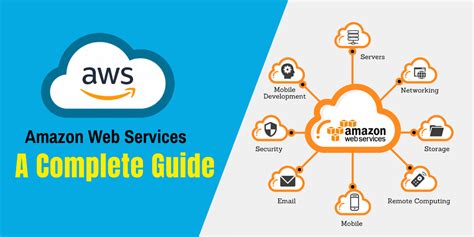
Amazon Web Services Student Tutorial Amazon Web Services AWS Student Tutorial A Comprehensive Guide This guide provides a comprehensive walkthrough of Amazon Web Services AWS for students covering essential services stepbystep instructions best practices and common pitfalls Whether youre aiming for a cloud computing career or simply want to explore AWS this tutorial will equip you with the foundational knowledge you need I Getting Started AWS Free Tier Account Creation Before diving into services leverage AWSs generous Free Tier This allows handson experience without incurring costs for a limited period Stepbystep account creation 1 Visit the AWS website Go to awsamazoncom 2 Create an AWS Account Click Create a Free Account Youll need a valid email address phone number and payment information although you wont be charged during the free tier 3 Complete Identity Verification AWS will verify your identity through email andor phone verification 4 Access the AWS Management Console Once verified log in to access the AWS Management Console your central hub for managing all your AWS services II Essential AWS Services for Students This section covers key services ideal for learning and experimentation A Amazon S3 Simple Storage Service Object Storage S3 is a scalable object storage service Think of it as a cloudbased hard drive Use Case Storing static website content HTML CSS JavaScript images project backups or data for analysis Stepbystep tutorial Uploading a file to S3 1 Navigate to the S3 service in the AWS Management Console 2 Create a new bucket a container for your objects Choose a globally unique name 3 Upload your file by clicking Upload and selecting the file from your computer 2 Best Practice Configure appropriate access control lists ACLs to restrict access to your objects Pitfall Failing to set appropriate permissions can expose your data publicly B Amazon EC2 Elastic Compute Cloud Virtual Servers EC2 allows you to rent virtual servers instances in the cloud Use Case Running web applications databases or any computeintensive tasks Stepbystep tutorial Launching an EC2 instance 1 Navigate to the EC2 service 2 Launch a new instance Choose an Amazon Machine Image AMI which is a preconfigured operating system template eg Amazon Linux Ubuntu 3 Configure instance type processing power memory storage and security group firewall 4 Launch the instance Youll receive a public DNS name to access your server Best Practice Use smaller instance types during learning to minimize costs Terminate instances when not in use Pitfall Forgetting to configure security groups properly can leave your instance vulnerable C Amazon RDS Relational Database Service Managed Databases RDS simplifies database management by providing managed database instances Use Case Storing structured data for your applications eg MySQL PostgreSQL SQL Server Stepbystep tutorial Creating an RDS instance 1 Navigate to the RDS service 2 Choose your preferred database engine eg MySQL 3 Specify instance settings instance type storage security group 4 Create the instance Youll need the endpoint to connect your application Best Practice Regularly back up your database to prevent data loss Pitfall Incorrectly configuring security group rules can prevent access to your database III Best Practices for AWS Students Start small Begin with free tier services and small instance sizes Plan ahead Design your architecture before deploying resources Use tags Tag your resources for better organization and cost tracking Monitor your usage Regularly check your AWS console to monitor your resource consumption and costs 3 Learn from the documentation AWS provides extensive documentation and tutorials IV Common Pitfalls to Avoid Ignoring security Properly configure security groups and IAM roles to prevent unauthorized access Unnecessary resource consumption Terminate unused instances and services to avoid unnecessary charges Complex architecture Start with simple architectures and gradually increase complexity as your understanding grows Ignoring best practices Following AWS best practices ensures efficiency security and cost optimization V Conclusion This guide provides a foundational understanding of essential AWS services By following the stepbystep instructions and best practices outlined students can gain valuable handson experience with cloud computing Remember to explore the AWS documentation and utilize the free tier to experiment and learn at your own pace VI FAQs 1 What is the AWS Free Tier and how long does it last The AWS Free Tier offers free access to various services for 12 months However some services have usage limits and after the first year only some limited services continue to be free Check the AWS Free Tier page for current details 2 How can I manage my AWS costs effectively Use smaller instance sizes terminate resources when not needed leverage spot instances for cost savings use the AWS Cost Explorer to track spending and set up budget alerts 3 What are IAM roles and why are they important IAM Identity and Access Management roles grant permissions to AWS resources without requiring explicit credentials This enhances security by reducing the risk of compromised credentials 4 What are Amazon Machine Images AMIs AMIs are preconfigured templates for launching EC2 instances They include the operating system applications and configurations 5 How do I delete an AWS account Deleting an AWS account is a permanent action Before deleting ensure you have terminated all running instances and services to avoid unexpected charges Follow the instructions provided on the AWS website to initiate the account closure process This process may take some time to complete 4